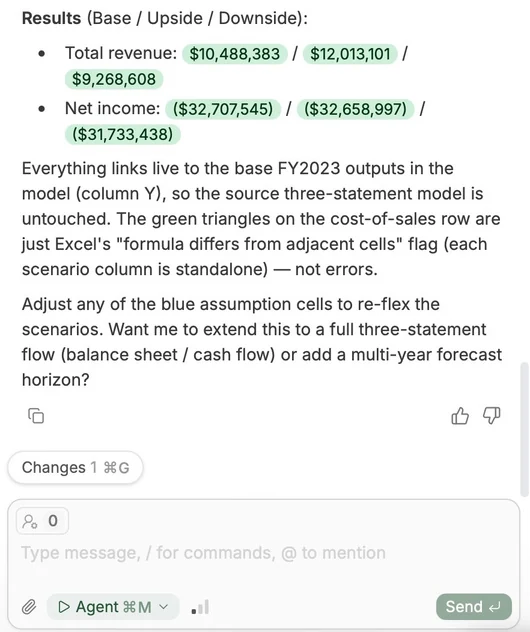
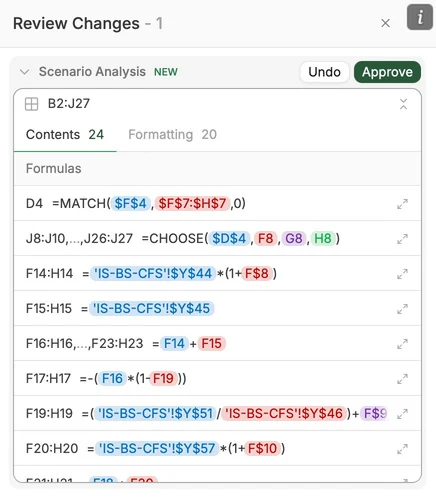
All edits are recorded. You stay in control, view what has changed, and can undo changes.
Once Tracelight has built your analysis, click the “Changes” button at the bottom of the chat to see each component of Tracelight’s changes.
B. Review
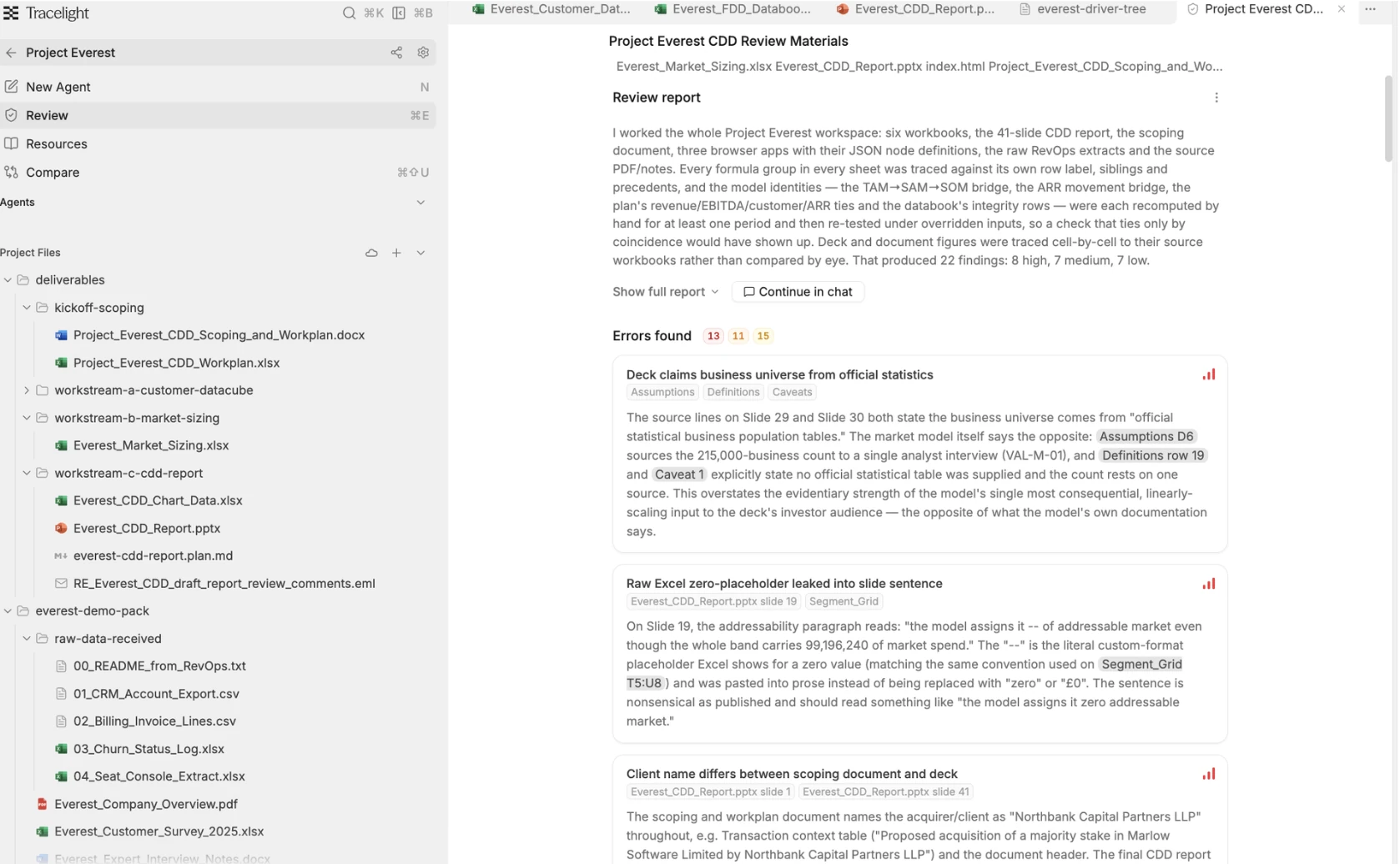
You can use Review across Excel, PowerPoint, Word, and entire Projects in the Platform.
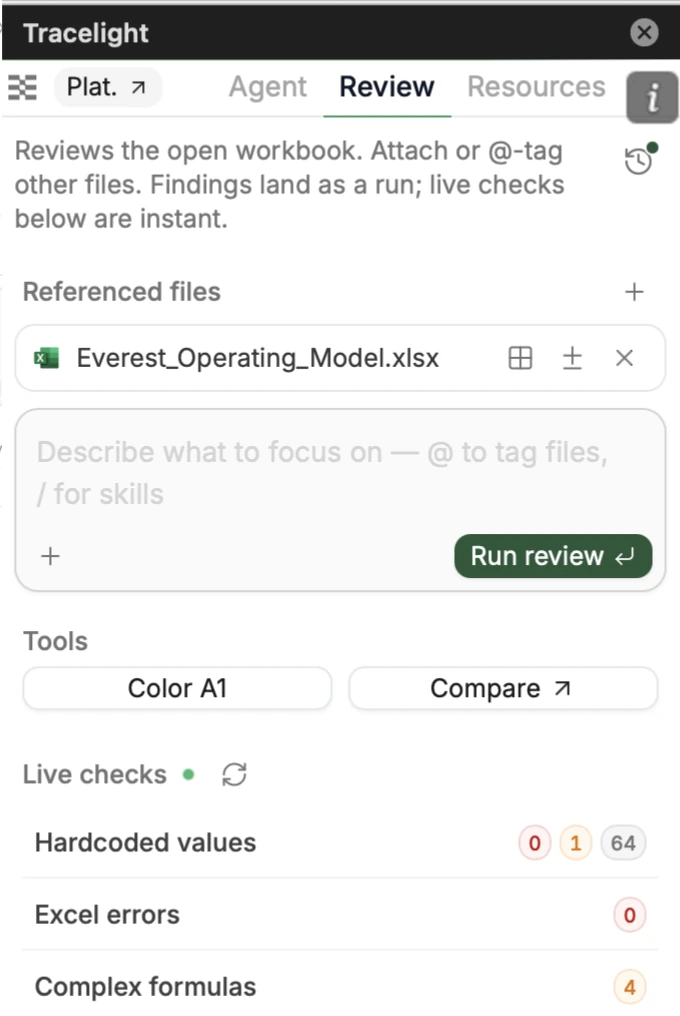
Click “Review” in the Platform’s menu in the top left, or the “Review” tab in the add-ins.
Tracelight will review for any kinds of errors — from PowerPoint inconsistency with underlying Excel model data, to formula mistakes, logical errors, and much more.
View the errors found, understand them, and identify their severity in the Review report.
Click “Continue in Chat” in the Platform or “Fix all” to fix the errors with Tracelight.
Use Color to color-code cells by formula structure. For Compare, see “Compare Workbooks” below.
View “Live checks” to instantly see and filter potential errors on your current sheet.